Introduction
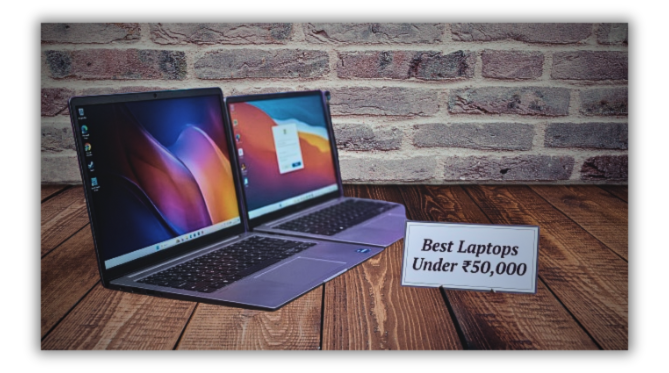
Nowadays, a laptop has become essential—not just for office work, but also for online learning, professional gaming, video editing, business tasks, and entertainment.
If you have a budget of up to ₹50,000, you can find several laptops in the Indian market that offer strong performance, fast SSD storage, and excellent displays.
However, when looking for the best laptops under ₹50,000 in India, simply checking the processor or the brand name is not enough.
Factors like RAM, battery backup, display quality, build, and warranty are equally important.
Therefore, we will explore which options you should consider when buying a laptop for under ₹50,000, and which features are essential for your specific needs.
What to look for when buying a laptop under ₹50,000
Before purchasing a good laptop, it is essential to understand your specific needs.
If you are a student, a portable and lightweight device might be ideal; for office work or multitasking, you should focus on the processor and RAM.
1. Processor:
Newer models from the Intel Core i5 or AMD Ryzen 5 series are excellent choices for daily tasks, office software, and multitasking.
However, be sure to verify the specific processor generation and exact model.
2. RAM and Storage:
It is advisable to choose a laptop with at least 8GB of RAM and a 512GB SSD.
If your budget allows for 16GB of RAM, it will be beneficial for running multiple applications simultaneously.
3. Display:
A screen with Full HD resolution is sufficient for studying, watching videos, and office-related tasks.
Before making a purchase, also check the brightness and color quality.
4. Battery and Weight:
For use at college or while traveling, a lightweight laptop with a good battery is highly practical.
Keep in mind that the actual battery backup may vary depending on how you use the device.
5 best laptop options under ₹50,000 in 2026
1. Lenovo thinkbook 16
This laptop could be a good choice for those who need to do office work, create large spreadsheet documents, and use multiple apps simultaneously.
Some configurations include a Ryzen 5 processor, 16GB of RAM, and a 512GB SSD. Check the correct model and price before buying.
2. Acer aspire 3
The Acer Aspire 3 is a good option for tasks such as online class assignments, web browsing, and using MS Office.
It is available in various configurations, featuring either Intel Core i3 or Core i5 processors.
For a better experience, opt for a model with more RAM and SSD storage.
3. Lenovo IdeaPad slim 3
The IdeaPad Slim 3 series offers models with various processors and screen sizes.
These devices can be useful for online meetings, studies, presentations, and multitasking.
When purchasing, be sure to check the processor generation, RAM upgrade options, and the operating system.
4. Asus vivobook 15
If you enjoy watching movies, browsing the internet, creating documents, or making video calls on a laptop, consider the Vivobook 15 series.
Some variants in this series may come with a Core i3 processor and 16GB of RAM.
Also, be sure to check the display brightness and battery backup.
5. HP 15
HP 15 series laptops are suitable for office work, online study, email, and general computing tasks.
Since the processor, battery, and RAM capacity vary across different models, do not make a purchase based solely on the series name.
Which laptop under ₹50,000 is best for whom?
1. Students:
Acer Aspire 3 or Lenovo IdeaPad Slim 3 (suitable variants)
2. Office work and multitasking:
Lenovo ThinkBook 16 (especially the model with 16GB RAM)
3. Online meetings and home-based tasks:
HP 15 and Asus Vivobook 15
4. Light photo editing:
Choose a laptop with a better processor and sufficient RAM
5. Gaming:
Within this budget, expect only basic gaming from laptops with integrated graphics.
for intensive gaming, look for a model with a dedicated GPU and check its price.
Can I get a laptop for video editing for ₹50,000?
Yes, basic video editing is possible for this type of project.
For standard tasks like cutting 1080p footage, adding text, and applying light effects, a good processor, 16GB of RAM, and an SSD are useful.
However, 4K video editing, working with heavy effects, or handling longer projects may require more powerful hardware.
Avoid these mistakes when buying a new laptop
Do not buy a laptop based solely on a high amount of RAM.
even with 16GB of RAM, a weak processor can still limit performance during demanding tasks.
Similarly, do not make a decision based only on a large screen size or an attractive design.
When purchasing online, check the model number, variant, return policy, and details about the actual seller.
Also, verify whether the RAM can be upgraded and whether a Windows license is included with the laptop.
conclusion
For the best laptops under ₹50,000 in India in 2026, the right choice depends on your specific needs.
You might consider the Acer Aspire 3 for studies, the Lenovo IdeaPad Slim 3 for everyday use, or the Lenovo ThinkBook 16 for multitasking.
My advice is to choose a laptop that offers at least 8GB of RAM, a 512GB SSD, and a Full HD display within a ₹50,000 budget—ideally, opt for a model with 16GB of RAM if possible.
Before making a purchase, be sure to verify the price, exact specifications, and warranty details.